Showing posts with label Tips And Tricks. Show all posts

Sunday, 2 September 2012

Add An Extra Option "Take Ownership" On The Context Menu

| 0 comments

This process will add an extra option "take ownership" on the context menu of a selected file or folder. By using this any local user can find the ownership same as the administrator.before going through this tutorial you must create a back up of your Windows Registry.


Now open your notepad or any other text editor and enter the following Information:-


Windows Registry Editor Version 5.00
[HKEY_CLASSES_ROOT\*\shell\takeownership]
@="Take ownership"
"HasLUAShield"=""
"NoWorkingDirectory"=""


[HKEY_CLASSES_ROOT\*\shell\takeownership\command]
@="cmd.exe /c takeown /f \"%1\" && icacls \"%1\" /grant administrators:F"
"IsolatedCommand"="cmd.exe /c takeown /f \"%1\" && icacls \"%1\" /grant administrators:F"


[HKEY_CLASSES_ROOT\exefile\shell\takeownership]
@="Take ownership"
"HasLUAShield"=""
"NoWorkingDirectory"=""


[HKEY_CLASSES_ROOT\exefile\shell\takeownership\command]
@="cmd.exe /c takeown /f \"%1\" && icacls \"%1\" /grant administrators:F"
"IsolatedCommand"="cmd.exe /c takeown /f \"%1\" && icacls \"%1\" /grant administrators:F"


[HKEY_CLASSES_ROOT\dllfile\shell\takeownership]
@="Take ownership"
"HasLUAShield"=""
"NoWorkingDirectory"=""


[HKEY_CLASSES_ROOT\dllfile\shell\takeownership\command]
@="cmd.exe /c takeown /f \"%1\" && icacls \"%1\" /grant administrators:F"
"IsolatedCommand"="cmd.exe /c takeown /f \"%1\" && icacls \"%1\" /grant administrators:F"


[HKEY_CLASSES_ROOT\Directory\shell\takeownership]
@="Take ownership"
"HasLUAShield"=""
"NoWorkingDirectory"=""


[HKEY_CLASSES_ROOT\Directory\shell\takeownership\command]
@="cmd.exe /c takeown /f \"%1\" /r /d y && icacls \"%1\" /grant administrators:F /t"
"IsolatedCommand"="cmd.exe /c takeown /f \"%1\" /r /d y && icacls \"%1\" /grant administrators:F /t"


Note:
Please make sure that the first line (the one starting with "Windows Registry Editor..." appears in the text file. Now save the notepad file anywhere on your computer and give it a .reg extension.(suppose xxx.reg).Now you need to install that registry file to Windows registry..


After installing the registry Now reboot your computer and Enjoy the change.
Read More

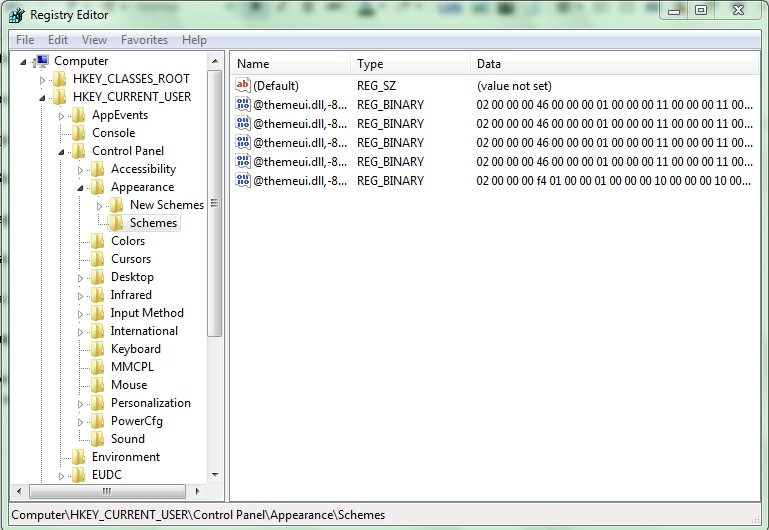
How To Add Registry Entry

| 0 comments
1. Open registry Editor.
  
2. Now click on File on "Menubar"

3. Now Click on "Import".

4. It will open the "Browse" window.


5. Now choose the registry file that you want to install and click on open.


6. it will show an message that the registry Entry is successfully added to the registry.That is it.


You can also install a registry file by double click on that file (or right click of mouse on that file and choose merge)
it will open UAC prompt and show you that the adding registry file must be harmful to your system.

                                
Just ignore all the message and click on OK. After that it will show the message that the registry entry is successfully added to the registry.
Read More

Take Ownership Of A File In Windows

| 0 comments
Here is a process to take ownership of a file.

Process to take ownership of a file in windows:

1. Select the file or folder whose ownership you want to take and right click of mouse on it and choose "Properties".


2. On the property window navigate to "Security" tab.


3. Click on "Advanced".


4. On the open advanced security option window navigate to "Owner" tab.


5. Now click on "Edit".


6. a new window for advanced security option will be opened.


7. you will find a table asking for "Change owner to". Now select the local user to which you want to take the ownership.


8. Below that you will find an check box "replace owner on sub containers and objects".

9. Just tick the check box.


10. Now apply all the modified setting.

11. During apply the changes it will show an message "You dont have the permission to read the file or the contents of the directory. Do you want to change the permission of the file or folder to full control. All permission will be replaced if you press ok".


12. Just ignore the message and Press ok.


Want to know how to add Take Ownership context menu in windows


Read More

Thursday, 30 August 2012

Edit Any Website Like Facebook

| 0 comments

This is very cool javascript which can be used to edit the content of any website like facebook or google you just have to copy javascript on your address bar and hit enter


This is how it works:-

Open any website in Google Chrome, or in Opera and enter the below code to the address bar of the browser.

javascript:document.body.contentEditable='true'; document.designMode='on'; void 0

and press enter

Note :- while using This code in google chrome it may not work just by pasting it on address bar you have to add " javascript: " in the beginning manually .


In chrome it will look like This when you paste it:-

document.body.contentEditable='true'; document.designMode='on'; void 0

Read More

Unlock All USB Modems (Data Cards)

| 0 comments

Unlock your data card Airtel, Huawei ,Micromax , Idea ,Reliance and many others,


Are you interested to know how to Unlock your USB MODEM (data card )

If YES then let me told  you about a FREE application called, DC unlocker.


DC unlocker is a program specialized for data card unlocking .

It is the first universal data card unlocking product worldwide.


It is fast ( takes 5 - 60 seconds to unlock), easy to use and functional program with clear interface.


It doesn`t need any cables or adapters for unlocking. The data card can be simply unlocked in the same notebook where a PCMCIA or Express socket exists.


New models are being added regularly.


No need to select any COM ports, auto detect function.
Free updates .


Download it,   Link here

Read More

How To Bypass Adf.ly In Google Chrome

| 0 comments
adf.ly is a very  popular URL shortening service, adf.ly gives pays u for using their service , if you use adfly to shrink your links you can earn 5$ per 10.000 page views. 


But some people don't like this kind of URL shortening services. Personally I don't like them too. That's why I use this Chrome extension to bypass all adf.ly links. 

After installing this you won't have to wait 5 seconds and click Skip ad button. it will automatically redirects you to the targeted page, This bypasses all adf.ly links, and redirects the user directly to the target page


Download the Latest version CLICK HERE

Read More

About TCP/IP/UDP Attacks

| 0 comments

Hello, Lets explain "TCP/IP & UDP Attacks", Most common and effective Web attacks...Lets Know abt its basic and types...

TCP/IP Attacks
1. TCP SYN or TCP ACK Flood Attack
2. TCP Sequence Number Attack
3. TCP/IP


UDP attacks :

1. ICMP Attacks
2. Smurf Attacks
3. ICMP Tunneling

TCP operates using synchronized connections. The synchronization is vulnerable to attack; this is probably the most common attack used today. The synchronization or handshake, process initiates a TCP connection. This handshake is particularly vulnerable to a DoS attack referred to as the TCP SYN Flood attack. The process is also susceptible to access and modification attacks, which are briefly explained in the following sections.

TCP SYN or TCP ACK Flood Attack - This attack is very common... The purpose of this attack is to deny service. The attack begins as a normal TCP connection: the client and the server exchange information in TCP packets. The TCP client continues to send ACK packets to the server, these ACK packets tells the server that a connection is requested. The server thus responds to the client with a ACK packet, the client is supposed to respond with another packet accepting the connection to establish the session. In this attack the client continually send and receives the ACK packets but it does not open the session. The server holds these sessions open, awaiting the final packet in the sequence. This cause the server to fill up the available connections and denies any requesting clients access.

TCP Sequence Number Attack - This is when the attacker takes control of one end of a TCP session. The goal of this attack is to kick the attacked end of the network
for the duration of the session. Only then will the attack be successful. Each time a TCP message is sent the client or the server generates a sequence number. The attacker intercepts and then responds with a sequence number similar to the one used in the original session. This attack can then hijack or disrupt a session. If a valid sequence number is guessed the attacker can place himself between the client and the server. The attacker gains the connection and the data from the legitimate system. The only defense of such an attack is to know that its occurring... There is little that can be done...

TCP Hijacking - This is also called active sniffing, it involves the attacker gaining access to a host in the network and logically disconnecting it from the network. The attacker then inserts another machine with the same IP address. This happens quickly and gives the attacker access to the session and to all the information on the original system.

UDP packets aren't connection oriented and don't require the synchronization process as with TCP. UDP packets, however, are susceptible to interception, thus it can be attacked. UDP, like TCP, doesn't check the validity of an IP address. The nature of this layer is to trust the layer above it (I'm referring to the IP layer). The most common UDP attacks involve UDP flooding. UDP flooding overloads services, networks, and servers. Large streams of UDP packets are focused at a target, causing UDP services on that host to shut down. It can also overload the network and cause a DoS situation to occur.

ICMP Attacks - This occur by triggering a response from the ICMP protocol when it responds to a seemingly legitimate request (think of it as echoing). Ping for instance, that uses the ICMP protocol. sPing is a good example of this type of attack, it overloads te server with more bytes than it can handle, larger connections. Its ping flood.

Smurf Attacks - This attack uses IP spoofing and broadcasting to send a ping to a group of hosts on a network. When a host is pinged it send back ICMP message traffic information indicating status to the originator. If a broadcast is sent to network, all hosts will answer back to the ping. The result is an overload of network and the target system. The only way to prevent this attack is to prohibit ICMP traffic on the router.

ICMP Tunneling - ICMP can contain data about timing and routes. A packet can be used to hold information that is different from the intended information. This allows an ICMP packet to be used as a communications channel between two systems. The channel can be used to send a Trojan horse or other malicious packet. The counter measure is to deny ICMP traffic on your network.

Warning : ICMP can be very dangerous..and Even,as i said ...Don't try such attack from your pc,untill you don't know that how to be invisible on net ! Beccause once you get traced out ...No one can help you from Troubles..

Read More

What Is Hacker

| 0 comments


A hacker is someone who likes to tinker with electronics or computer systems. Hackers like to explore and learn how computer systems work, finding ways to make them do what they do better, or do things they weren’t intended to do.  There are different types of hackers,


The hacker community usually distinguishes its members into the following groups, mainly based on the individual aim and ability:

CRACKERS(The Black Hat Hackers): Those who will enter your computer just for the fun of it, or to prove their technical skills, which are usually mid to high level;

BLUE HAT HACKERS: A blue hat hacker is someone outside computer security consulting firms that are used to bug test a system prior to its launch, looking for exploits so they can be closed. The term has also been associated with a roughly annual security conference by Microsoft, the unofficial name coming from the blue color associated with Microsoft employee badges.

GRAY HAT HACKERS: A gray hat hacker is a hacker of ambiguous ethics and/or borderline legality, often frankly admitted (the color itself stands somewhere in between 'black' and 'white', the 'bad' and the 'good' guys).


WHITE HAT HACKER: A white hat hacker (sometimes referred to as 'ethical hacker') is someone who breaks security but who does so for altruistic or at least non-malicious reasons. White hats generally have a clearly defined code of ethics, and will often attempt to work with a manufacturer or owner to improve discovered security weaknesses, although many reserve the implicit or explicit threat of public disclosure after a "reasonable" time as a prod to ensure timely response from a corporate entity. The term is also used to describe hackers who work to deliberately design and code more secure systems. To white hats, the darker the hat, the more the ethics of the activity can be considered dubious. Conversely, black hats may claim the lighter the hat, the more the ethics of the activity are lost.

SCRIPT KIDDIES: Script kiddie is a pejorative term for a computer intruder with little or no skill; a person who simply follows directions or uses a cook-book approach -- typically using other people's scripts and shell-codes -- without fully understanding the meaning of the steps they are performing.

HACKTIVIST (rare): A hacktivist is a hacker who utilizes technology to announce a political message. Web vandalism is not necessarily hacktivism.
These categories tend to have a 'closed' approach with one another, meaning white hatters will tend to stay away from black hatters, and vice versa -- which is mainly due to the fact that the single most important thing all these communities have in common is the central role of their 'online reputation'.

We will discuss various hacking tricks and tips in this blog, stay connected with us..

Read More

Create Password Protected Folder In Windows

| 0 comments

Today I am going to tell you how to make a password protecting folder in windows operating system, The trick is done using batch programing. The simple batch code posted below can help u to make a password protecting folder in windows environment.

So, to make such a folder just follow the steps mentioned below, 


  • Open notepad and copy the following code and paste it in notepad.


  • Save the file as TrikzTech.bat or give the name whatever you want but the file extension must be .bat .
  • Now close notepad, you will see a file named ' TrikzTech.bat ' in your directory. Double click on file and enter password 'trikztech' (without quotes).
  • Now a new folder is created in your directory named Private, just put files you want to hide in this folder.
  • Again open the file ' TrikzTech.bat ' and it will ask you to lock folder not just press Y  to lock folder and done.
  • To open the folder again open ' TrikzTech.bat ' and enter password, If you want to change password then just change the following line in the code, place your desired password at the place of trikztech.

This trick is very old but still working, has a simple programming logic, I posted it only for beginners. Advanced users knows this types of tricks.

Feel free to comment below if you have any problem...
Read More